Multiple card programmes
Choose from available card programmes with different BINs (card issuer identifiers), terms and limits.
Explore card programmesVirtual cards for affiliate and advertising teams. Choose card programmes, allocate team budgets and track payments in one place.
Set spending limits, export reports and add funds with USDT or USDC where supported. Private accounts are also available.
Watch the film 1 min
From issuing your first card to seeing every payment. A quick look at how cards, funds and teams work together.
The tools for managing company card payments, from funding to reconciliation.
Choose from available card programmes with different BINs (card issuer identifiers), terms and limits.
Explore card programmesIssue virtual cards for online payments and assign them to the people managing each campaign.
Explore card controlsInvite employees, assign roles and organise them into teams within one company account.
See users & teamsAllocate funds to users, automate card top-ups and monitor account and card balances.
Understand card fundingSet spending limits, restrict buyers to approved merchants and freeze cards when needed.
Explore card controlsAnalyse spending by team, user or card. Review payment statuses and detailed transaction records.
See transaction analyticsExport filtered transactions to CSV for internal reporting and reconciliation with campaign records.
Explore transactions & reportingAdd funds with USDT or USDC where supported, then top up your cards. Available networks vary.
See funding optionsReview account funds, card balances, recent spending and transaction totals by team together on the dashboard.
Explore company overview
For agencies and affiliate teams buying advertising across multiple campaigns.
Add the employees who manage ad spending, assign roles and group them into teams that reflect your operation.
Choose an available card programme, issue virtual cards and assign them to the people responsible for spending.
Add the required funds and set daily or monthly limits. Monitor the card balance as campaign payments are processed.
Find activity by user, team or card. Export transactions for the selected period and compare them with campaign records.
Use the dashboard to check available funds, money on cards and recent spending.
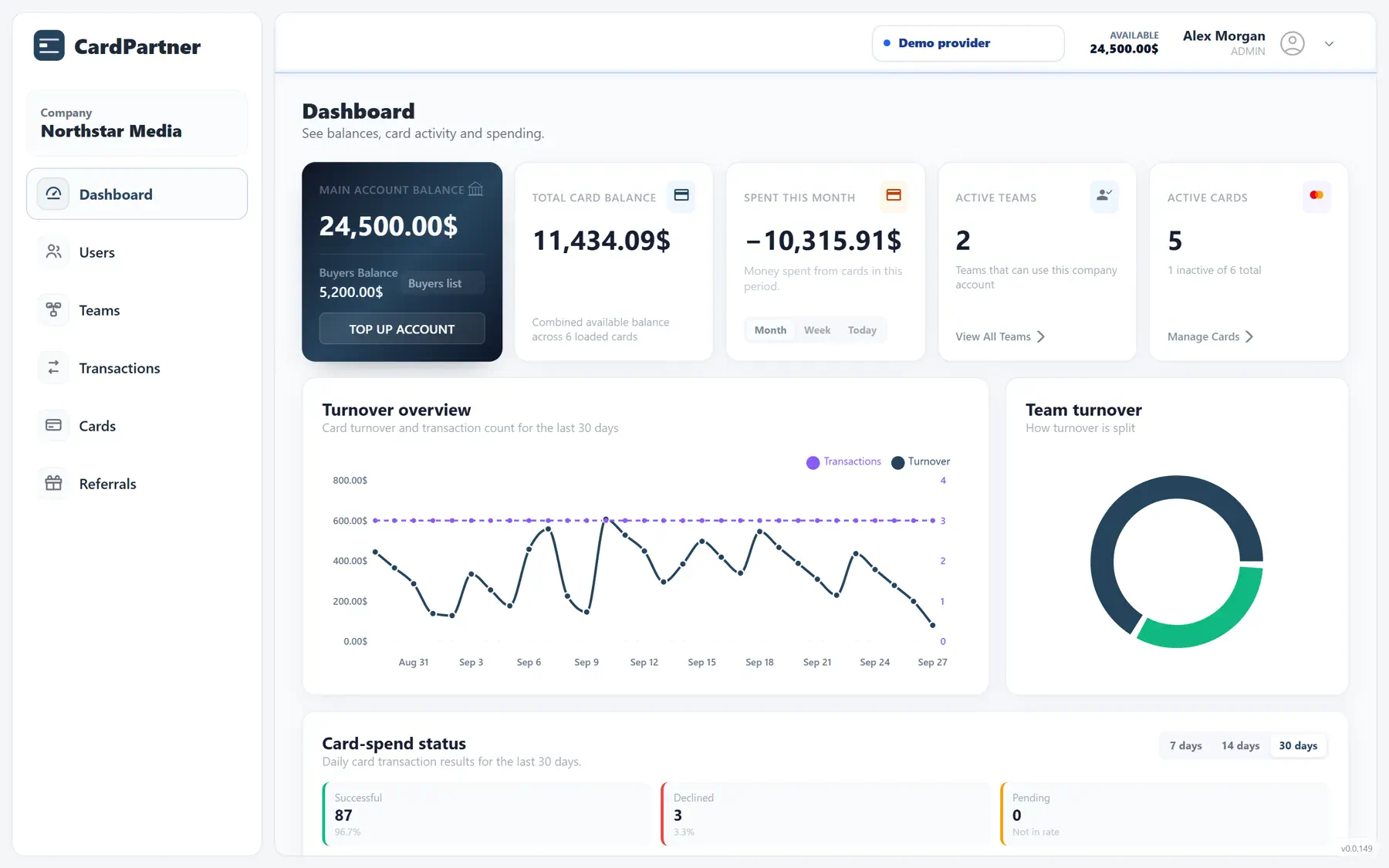
Check the balance held at account level before allocating funds. This helps you see whether more funding is needed for upcoming campaigns.
Review funds allocated to users alongside the balances already on their cards. Keep these separate when deciding which card needs a top-up.
Check spending, active cards and transaction totals by team for the selected period. Use this overview to decide which team or card to inspect next.
Select card programmes, organise people, allocate funds, track payments and export reports.
Choose from the card programmes available to your account. Each has its own terms, fees and limits.
Organise users into teams and assign roles. Keep card assignments and allocated funds visible within the company.
Allocate funds, issue virtual cards and set spending limits. Top up or freeze cards; withdraw unused funds where supported.
Filter activity by team, user or card. Check payment status and export CSV records for reconciliation.
Choose from a range of card programmes across issuing countries and currencies to suit your advertising payments.
Match the programme to the advertising platform, billing currency and planned spend. Manage the selected cards within the same company workflow.
Available options and terms depend on the programme and your account.
Match card programmes to the payment requirements of major advertising platforms. A well-managed setup helps reduce avoidable declines and keep campaigns moving.
Choose a card programme for the platform, issuing country and billing currency relevant to your campaign.
Fund the cards and set limits around expected charges, so routine payments are less likely to hit a balance or limit restriction.
Monitor payment statuses, investigate declined transactions and review the programme choice as campaign needs change.
Approval also depends on the issuer and the advertising platform; programme selection does not guarantee acceptance.
For affiliate teams and agencies: automate card funding, control where buyers can spend and analyse every transaction.
Automate card top-ups to keep campaign cards funded without repeating manual transfers. Make payment funding part of your team's workflow.
Understand card fundingTrack account and card balances alongside spending. See where funds are running low and keep card funding aligned with campaign needs.
See team balancesDefine which merchants buyers can pay. Restrict card spending to those merchants, so company funds are used only at the platforms and services you allow.
Explore card controlsAnalyse amounts, payment statuses and spending by team, buyer or card. Investigate declines and reconcile campaign expenses using detailed transaction records.
See transaction analytics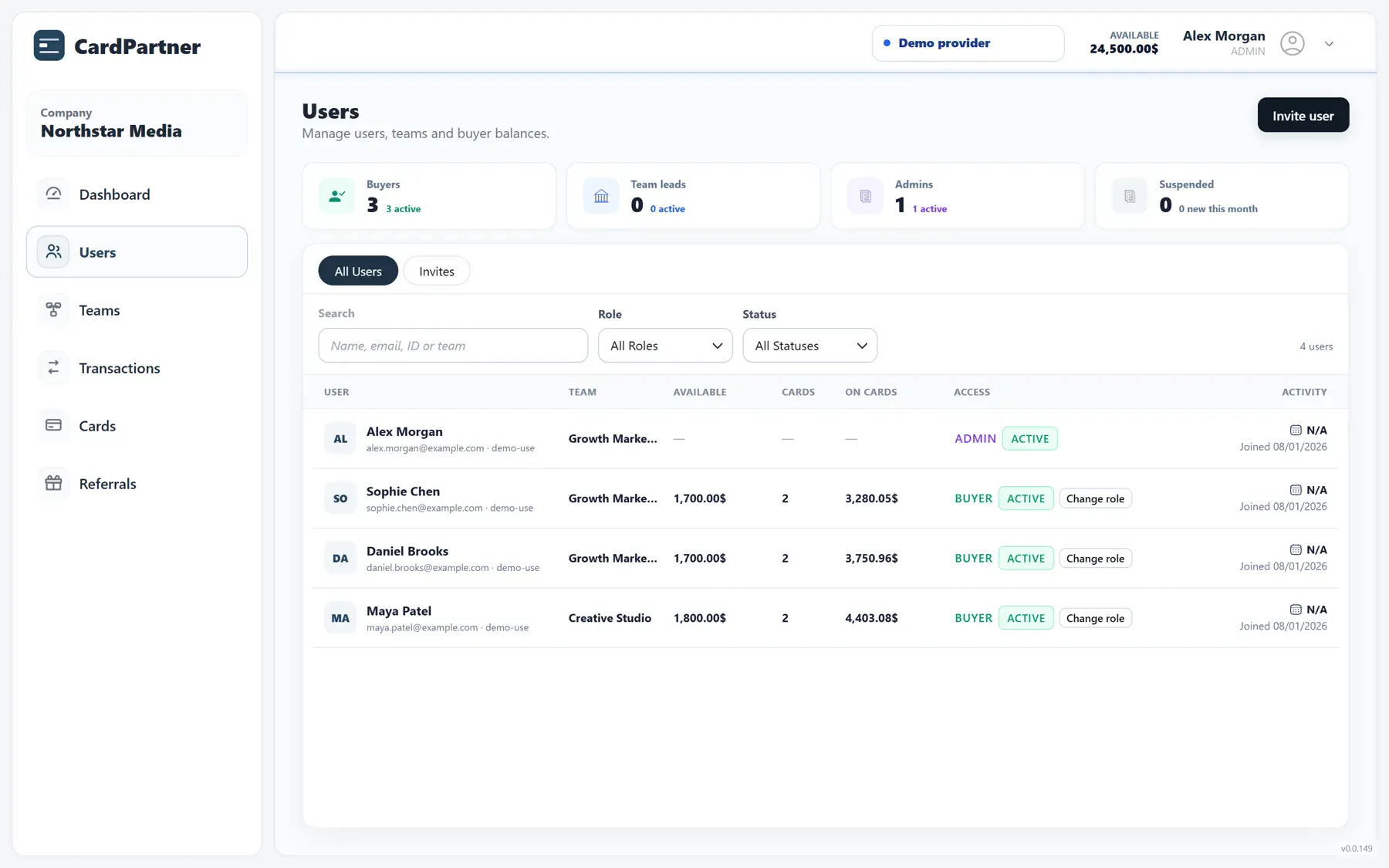
Group employees by team and keep balances, card assignments and account status visible.
Invite users, assign roles and organise them into teams. Give the people responsible for campaign spending access to the company account.
See each person's role, allocated balance and assigned cards in the user list. When a balance needs attention, you can identify its owner.
Separate Growth Marketing from Creative Studio. Review their users and cards as distinct groups, then use team filters to investigate spending.
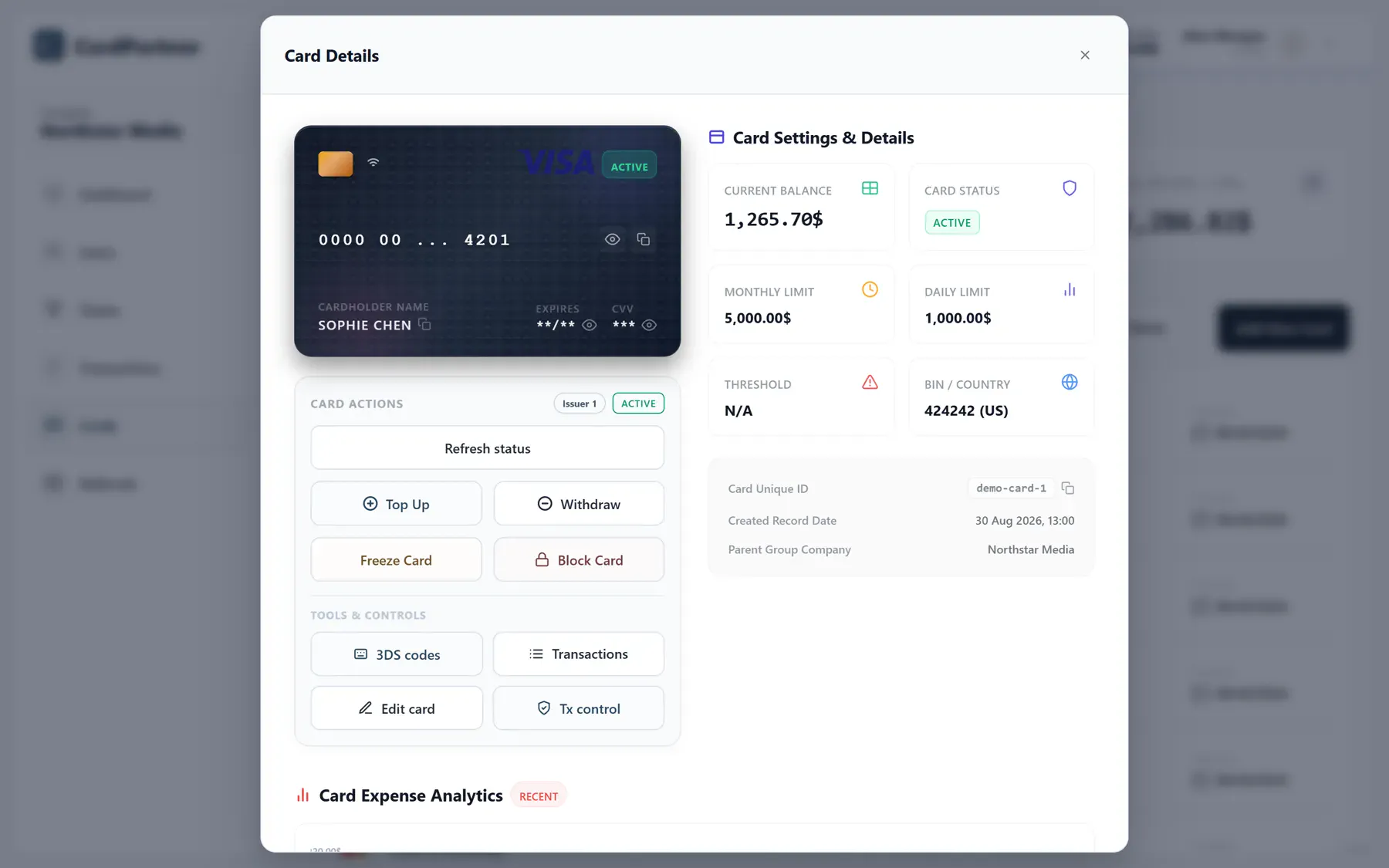
Open a card's details to manage its day-to-day use and inspect its payment activity.
Add funds to the selected card before a campaign starts or its next payment is due.
Set daily and monthly spending limits for each card to suit recurring or occasional payments.
Pause a card between campaigns or while you review its use. Check its status in the account.
Return unused funds where supported. Check the card programme's terms before withdrawing funds.
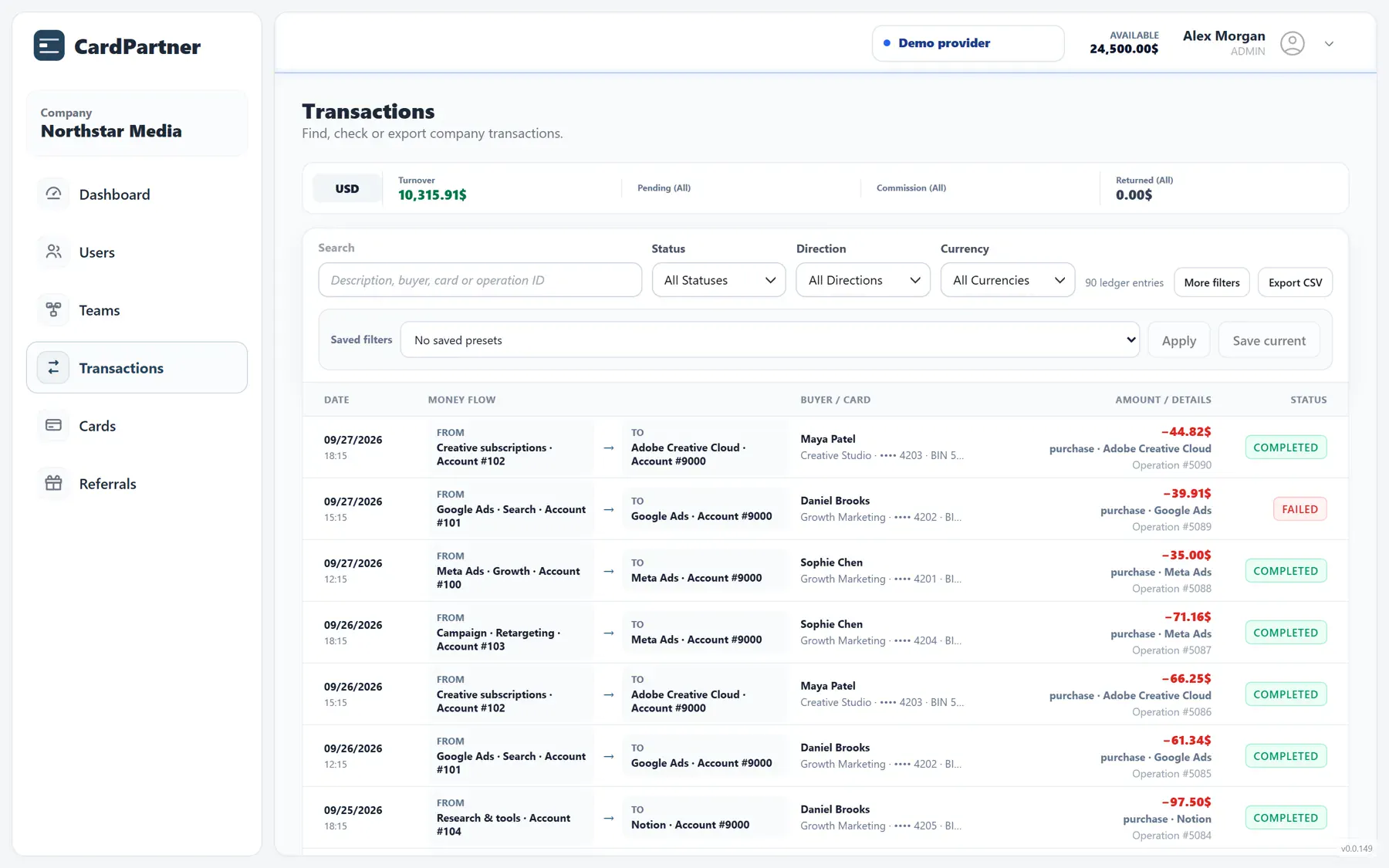
Select a reporting period, check payment statuses and export transactions to CSV.
Choose a date range and filter by team, user or card. For example, isolate one employee's campaign payments for the week you are reviewing.
Review amounts and payment statuses, then open a transaction to inspect its details. Trace the payment back to its card and responsible user.
Export the selected records to CSV and compare them with campaign or accounting reports. Use the payment history to investigate differences.
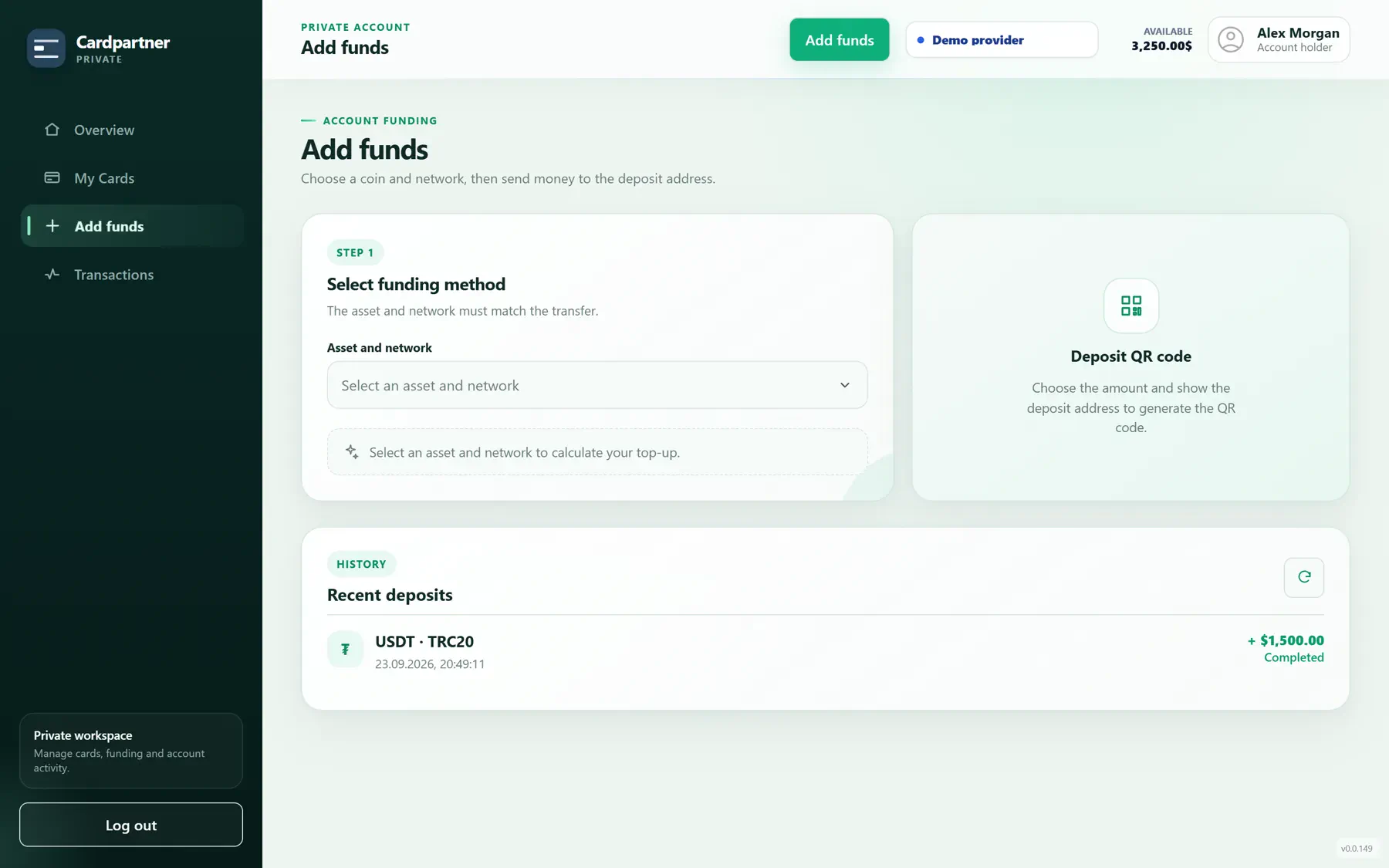
On accounts with crypto funding enabled, deposit USDT or USDC, then top up your cards.
Choose a deposit option available to your account. Use the specified asset and network for your transfer, and check the amount and fees.
Follow the deposit instructions and monitor its status in the funding history. Check that the funds have been credited before allocating them.
Move the amount required onto the selected card. Funding the account and funding a card are separate steps.
The balance is money available on the card. A spending limit sets the maximum amount that can be spent.
Funds credited to your account are available to allocate.
Top up a selected card with the amount it needs.
Use the funded card at an online merchant that accepts it.
A $1,000 monthly limit does not add funds to a card. Example amounts exclude fees.
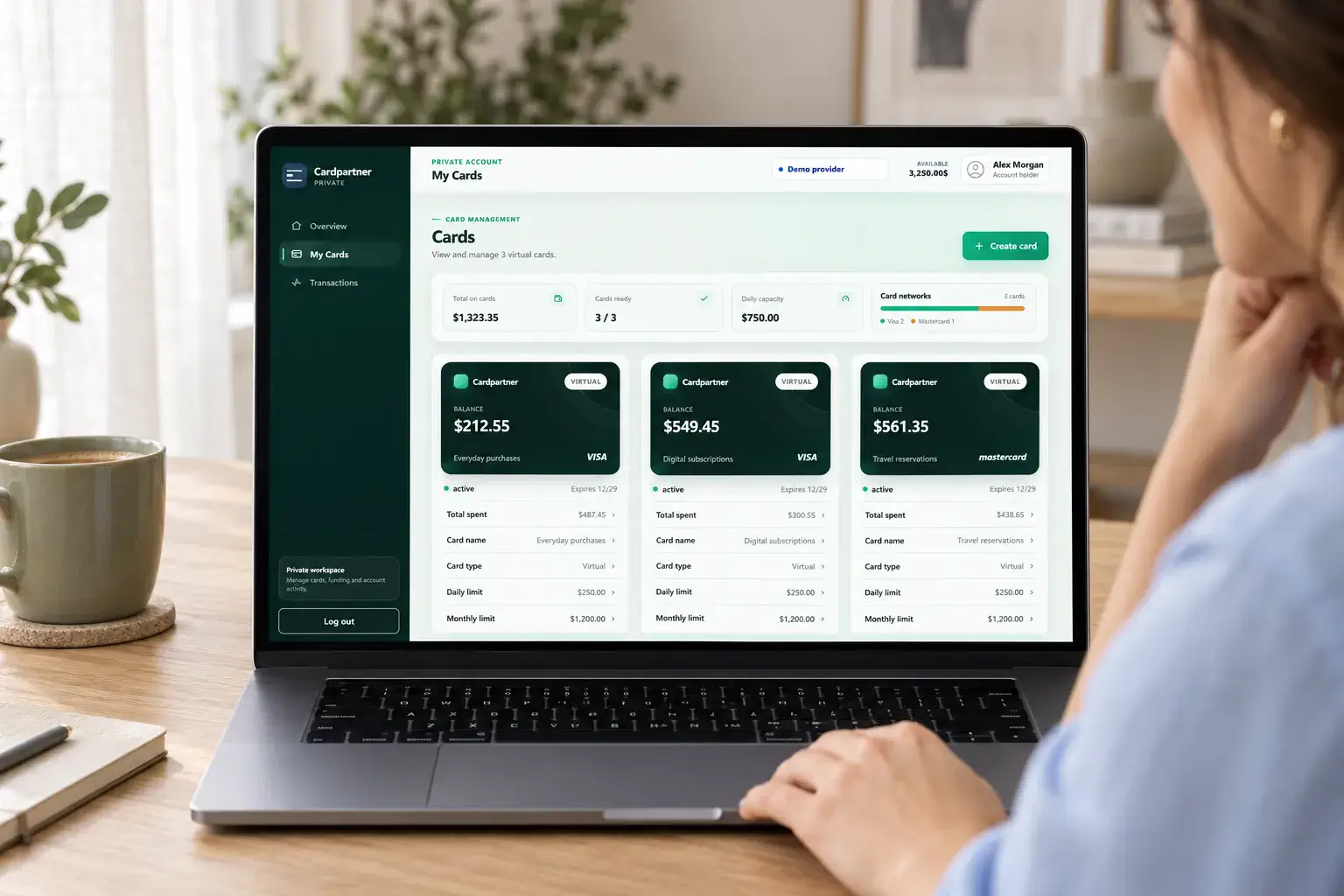
Choose from different BIN options, enjoy low fees and pay with Apple Pay or Google Pay.
Choose from the card programmes available to your Private account, with different BIN options and low fees. Select the programme that suits how you pay.
Add a supported card to Apple Pay or Google Pay and pay with your phone wherever the wallet is accepted.
Keep card balances, limits and transaction history together. Use your cards for subscriptions and purchases, and manage them from desktop or mobile.
Create and fund cards, adjust spending controls and review payments wherever you work.
Issue a virtual card, check your available funds and top up the card you need for your next payment.
Adjust daily and monthly limits, freeze a card or return unused funds where supported by its programme.
Check balances and transaction history in the same browser-based account, at your desk or on the go.
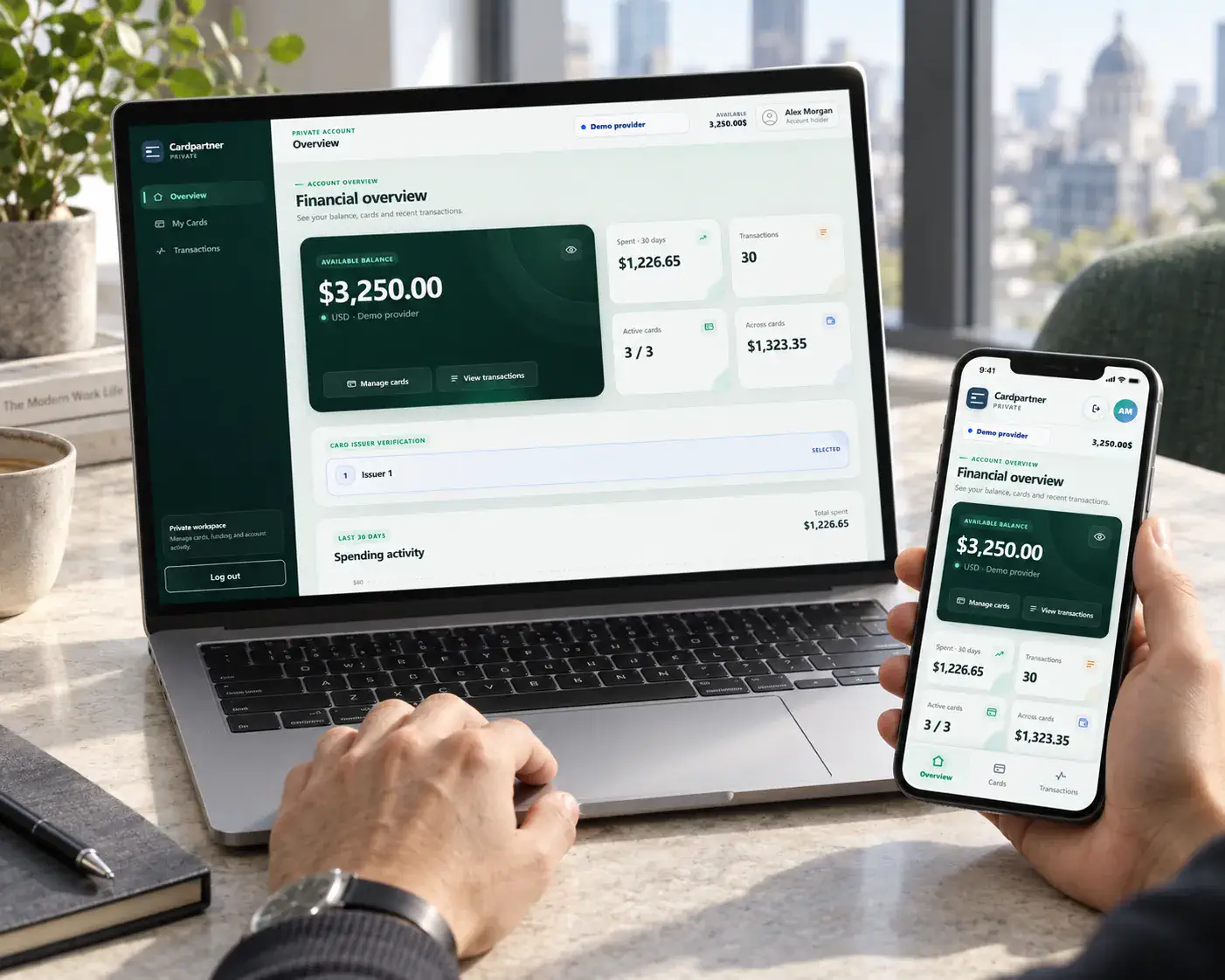
Quick onboarding for Business and Private accounts, with simple, secure digital identity verification.
Begin a straightforward sign-up process for a Business or Private account.
Verify your identity through a streamlined digital process designed to be simple and secure.
Access your card in your account and get ready to make payments.
Times are measured from registration and assume successful identity verification.
Manage teams with a Business account, or your own cards and payments with a Private account.
For advertising teams and agencies
For everyday personal spending
Tell us what you plan to pay for, how many cards you need and how you want to fund them.
Contact our team to discuss available programmes, account requirements and the next steps.